
Please scroll down to find the product(s) you would like troubleshoot support for.
Wired Controller (HORIPAD Turbo)
[Product SKU#: NSX-005U, NSX-083U, NSX-090U, NSX-104U, NSX-109U]
- Make sure that your console and software is updated to latest firmware.
- Turn off the console (Press and hold Power button until Power menu pop up. Select “Power Options” and choose “Turn Off”).
- Unplug and re-plug the wired controller cable into the USB slot.
- Turn on the console. The wired controller should be recognized immediately.
If problem still persists, try the following:
- Open "Controllers" on the HOME Menu.
- If the controller is not being recognized by the console, select "Change Grip/Order" to connect it.
- Make sure that the HORIPAD Turbo for Nintendo Switch 2 controller has the latest firmware installed. *Please use following link to update your controller: UPDATE FIRMWARE
LED stays ON / Button layout does not match with original layout:
- Reset the ASSIGNED button(s) by returning all ASSIGNED buttons to default.
- Hold "Function" button for 3 seconds, then the Function LED will flash slowly.
- Press "HOME" button, "Function LED will flash quickly
Wireless Controller
[Product SKU#: NSX-124U, NSX-126U, NSX-131U, NSX-132U, NSX-146U, NSX-148U, NSX-149U, NSX-151U, NSX-197U, NSX-198U, NSX-199U, NSX-200U, NSX-201U, NSX-205U, NSX-215U]
Check the charging connection
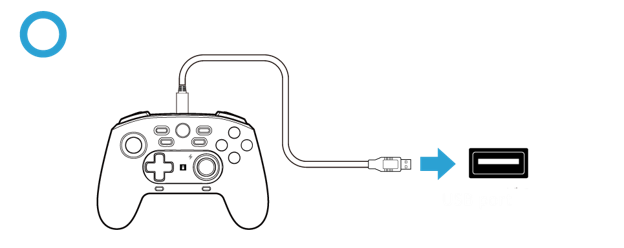
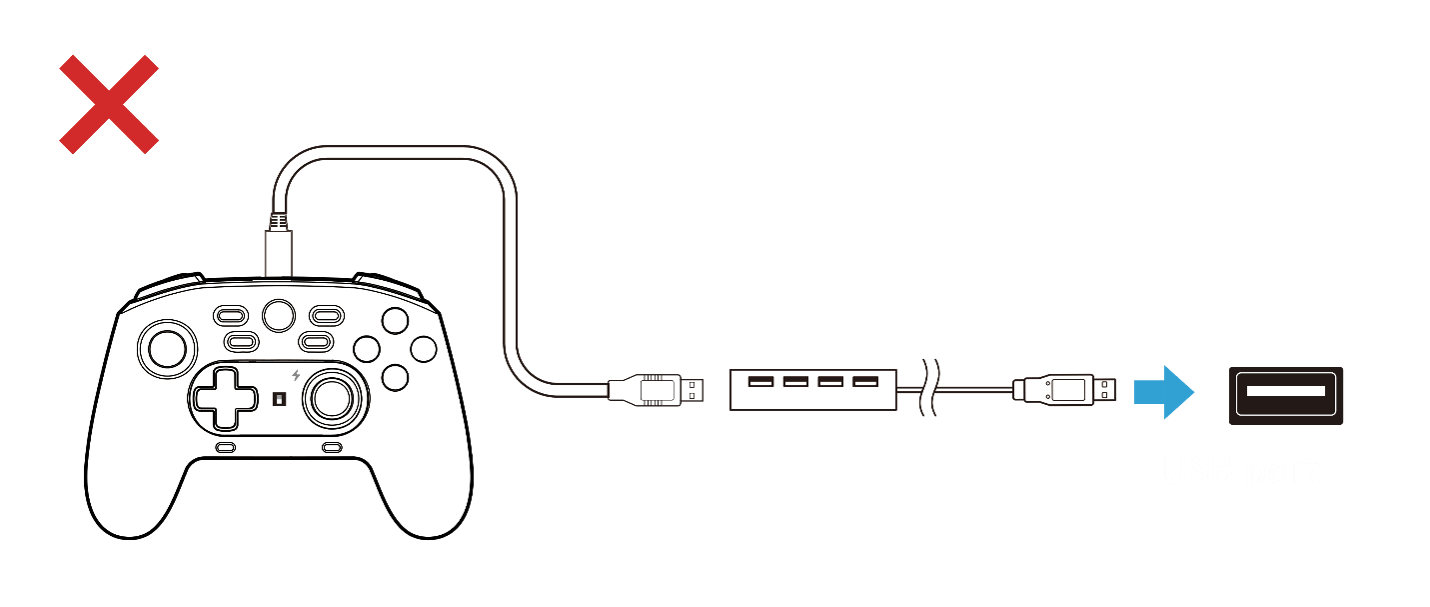
Please connect the charging cable directly to a USB port without using a USB hub. A USB hub may prevent the controller from charging properly.
Reset the controller
If the controller still does not charge, please try the following:
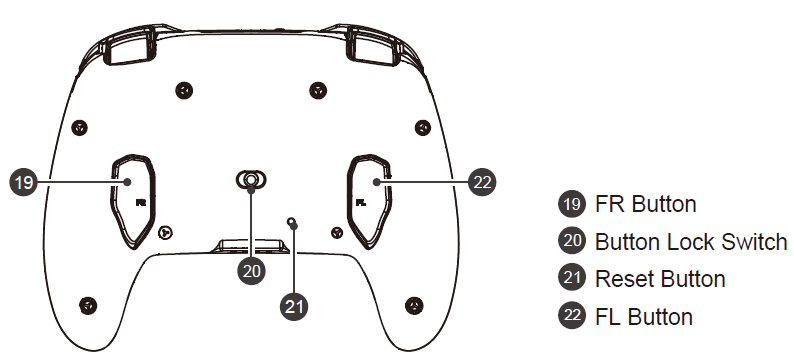
- Locate the reset button on the back of the controller.
- Using a thin object, such as a straightened paper clip, gently press the reset button. Please do not use a sharp metal needle, as it may scratch or damage the controller.
- Reconnect the charging cable and check whether the controller begins charging
Flashing RED / GREEN / ORANGE Lights for Wireless Controller
If you see RED or GREEN LED indicator flashing or lit up on the controller, please be assured that such behavior is normal for the controller.Unfortunately, this feature cannot be turned off.
Please refer to your instruction manuals for more detals and other information.
Please note that the controller uses a single LED indicator for multiple functions. The LED colors represent the following:
- ORANGE: Power / battery status
- RED: ASSIGN function
- GREEN: TURBO function
Because the same LED indicator is shared between these functions, the colors may alternate depending on the controller's current status. For example:
- If the controller is charging or the battery is low, the ORANGE LED may flash.
- If the ASSIGN function is enabled, the RED LED will flash.
- If the TURBO function is enabled or activated, the GREEN LED will flash.
If multiple functions are active at the same time, the LED may alternate between all three colors.