
Firmware Update Notice
Update Details
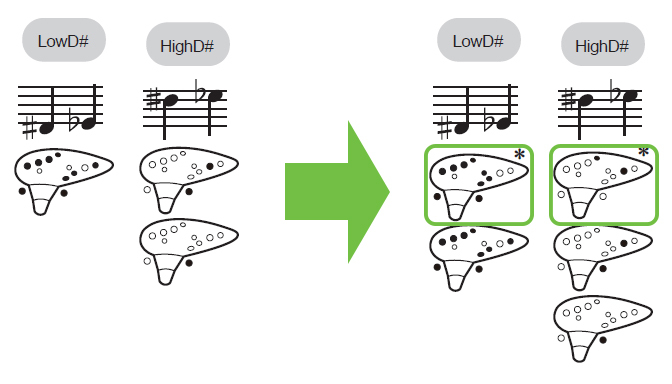
The new Firmware will add an additional fingering for D♯ / E♭ on the Free Play Mode, to bring the playing experience closer to that of a real Ocarina.
Fingering chart is available here ➡
Applicable Products
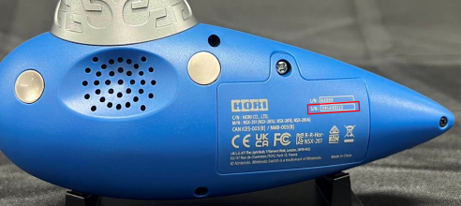
This update applies to customers with products whose serial numbers (S/N) listed on the back of the product range from 261A00001 ~ 261A80380
Please check the following location.
Update Procedure
You can update the firmware using the following procedure.
1. A dedicated App is required for the update. Please download it from below.
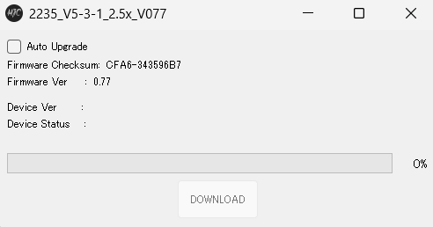
2. After downloading, launch "NSX-261 update_V077".
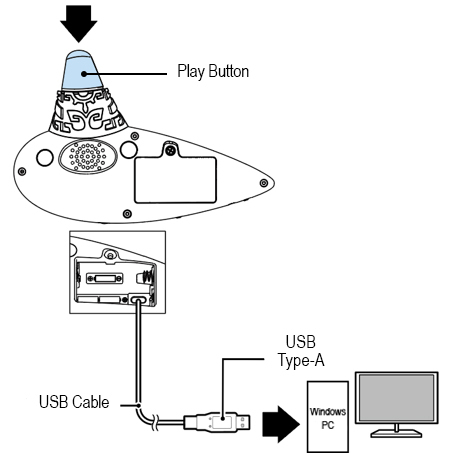
3. Open the battery cover of the product, connect a USB cable to the internal USB Type-C™ port, and connect to the PC while holding down the Play button.
*USB cable is not included with the product.
4. After connecting, click [DOWNLOAD] to start the update.
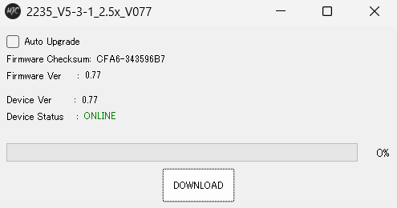
5. The update is complete when progress reaches 100% and [Device Ver] displays 0.77.
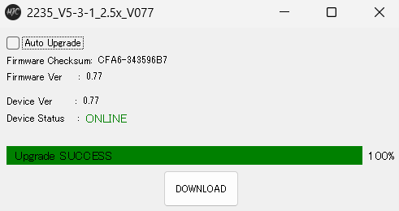
6. Once the update is complete, disconnect the USB cable from the product and your PC. Insert three AA alkaline batteries, then close the battery cover.